
This is a follow-up to the Baldur’s Gate 3 – Third-Person Goodness [mod collection] post, since after playing for a few hours, both in exploration and combat, I have concluded that the default mod settings aren’t working that well for me. This is highly subjective of course, but I thought I would at least share my findings that have fixed the issues I’m having with the default config.
Native Camera Tweaks
The most critical problem I have been having is that the camera feels way too zoomed out when it comes to combat. In general, it is just too floaty when the default camera worked fine from the get-go. It’s an easy fix, but it requires some editing with Notepad (or something similar). If you share this sentiment, this is how to fix it:
Navigate to \Baldurs Gate 3\bin\NativeMods\ and open BG3NativeCameraTweaks.toml with Notepad. Basically, almost everything that has to do with “combat” shall be turned off. Scroll down until you hit the combat segment, and from here on follow the instructions below.
CombatPitch = false (from true)
CombatOverrideLockedPitch = true (from false)
CombatOverrideZoom = false (from true)
CombatOverrideFOV = false (from true)
CombatOverrideOffset = false (no change)
It should look like this when done:
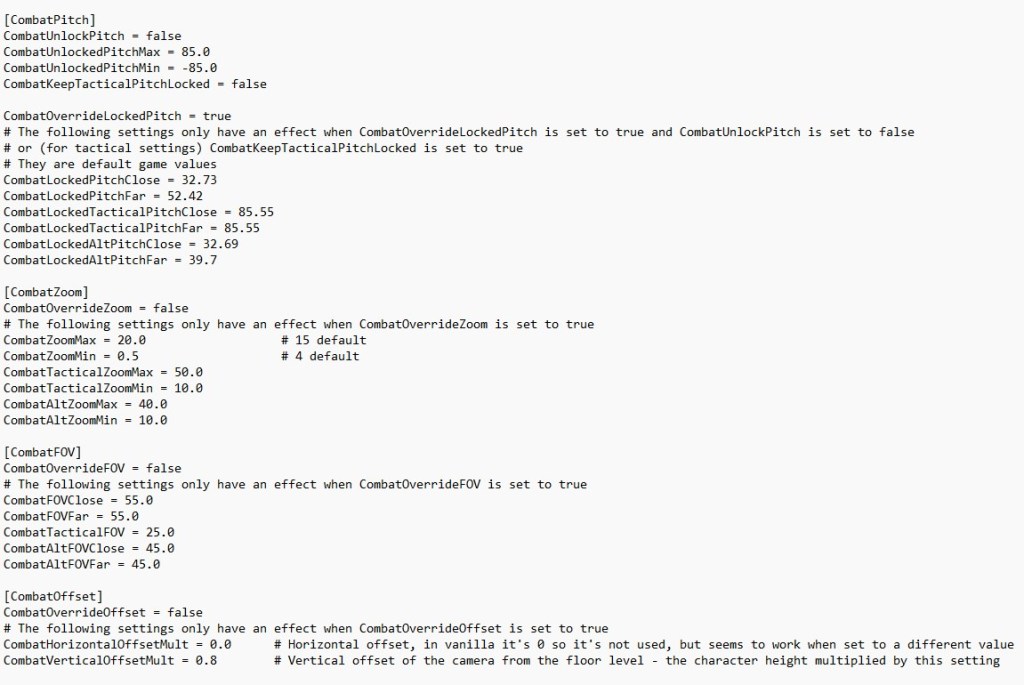
Now, these settings should return the combat camera to Larians default camera, which I think works much better in the turn-based combat. It retains the other settings, which allow for easy and good looking third-person gameplay during exploration.
Aether’s Immersive UI
The other problem I have been having is that the UI is actually too hidden, which makes certain actions a bit painful when playing. For example easy access to the combat log, and the party bar. The party bar I wanted restored mostly because of inventory juggling, and a quick way to jump to the different characters by double clicking when needed. I also changed so the UI displays dialogue options at all times during conversations (like the trading icon). All this I did by just removing unwanted files from this mod.
Navigate to \Baldur’s Gate 3\Data\Public\Game\GUI\Widgets and remove the following:
CombatLog.xaml – To restore the combat log.
Dialogue.xaml – To restore the dialogue options during conversations.
PlayerPortraits.xaml – To restore the player portraits to the left.
The files I left alone:
Minimap.xaml – Which regulates the minimap. I like it gone personally.
HotBar.xaml – This regulates the hot bar at the bottom. Another thing I don’t mind removed until moused over.
You can however pick and choose whatever you want. And depending on what mods you have installed, there might be more files in here. Ignore those, since they have nothing to do with this change nor mod.
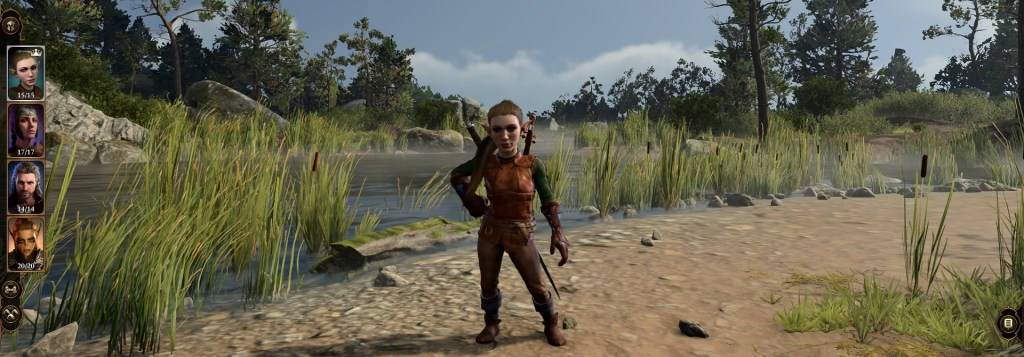
And with that, everything should be set to go. The camera is fixed (the combat camera that is), and the HUD is only hiding what isn’t necessary for the day-to-day exploring and inventory juggling. All this is optional, but these are the settings that I think work best for a smooth third-person experience. Until next time!
/Thomas
 Tom's Gaming Vault